Verifying your friends’ identity
The badge next to a contact’s name gives you the peace of mind that you are messaging the right person and your messages remain confidential.

Why verification matters
twonly doesn’t use phone numbers. You find friends by their username, a link or a QR code. But a typo could connect you with the wrong person, and someone could pretend to be your friend. Verification lets you check that your friend is really behind a username and that nobody has slipped into your end-to-end encrypted conversation.
What the badges mean
Tap a badge in the app to open this overview.
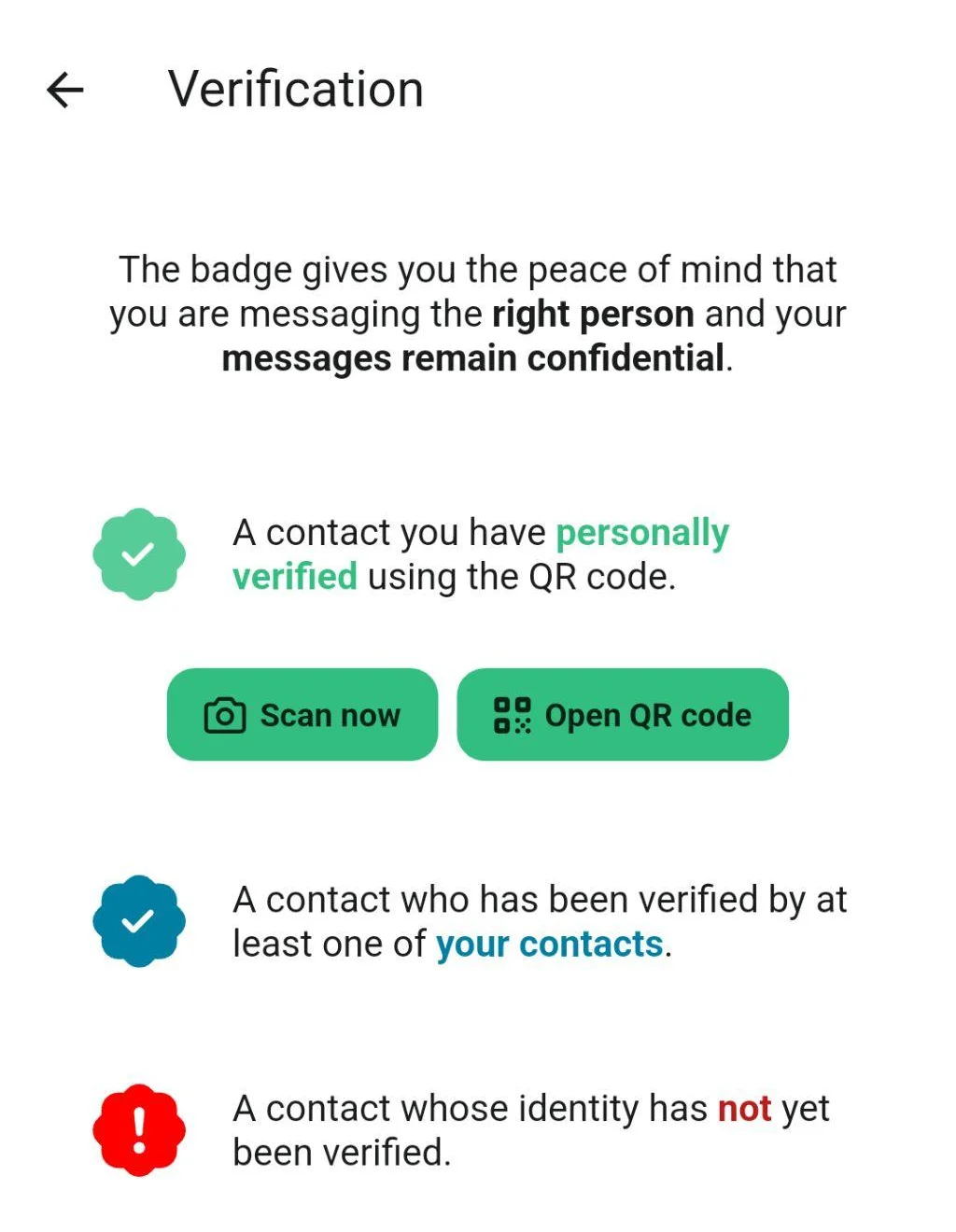
- Green: You have personally verified the contact, with the QR code or the safety number.
- Blue: At least one of your contacts has verified this person. Learn more in Mutual Friends.
- Red: The contact’s identity has not been verified yet. Be careful, especially if someone asks you for codes, passwords or money.
In chats with contacts who aren’t verified, twonly also shows a notice with a Verify now button.
Verify with the QR code
The easiest way is to verify each other when you meet. One of you shows their QR code, the other scans it.
Show your QR code: Tap the QR code button at the bottom right of the chat list. Or open the settings, tap your profile at the top, then tap Your QR code.
Scan the QR code: Just point the twonly camera at the code, and the app recognizes it automatically. Alternatively, open the chat with your friend, tap their name at the top, then tap Verify …’s identity and Scan …’s QR code.
twonly then marks you as verified on both devices automatically. Your friend doesn’t need to scan your code as well.
Compare the safety number
If you can’t meet, compare your safety number instead, for example over the phone:
- Open the chat, tap your contact’s name at the top, then tap Verify …’s identity.
- Tap Safety numbers.
- Compare the number shown. If both devices show the same number, tap Mark as verified.
The safety number is only available once you have exchanged a message. If the numbers don’t match, don’t mark the contact as verified, and try to meet in person.
To learn how verification works under the hood, read the blog post about mutual friends.